2025-10-22
.gitattributes
在仓库根新建或追加 .gitattributes:
content/*.md merge=union
这行配置告诉 Git:遇到 content/*.md 冲突时,尽量合并为并集(两边都保留)
张小龙的微博/饭否
- 还是你们用户牛,哭的是做互联网的,要整天分析你们的阴暗心理好让你们更爽,还不能明说。
- 互联网是一个很危险的地方。因为你说一句话,每个人都有不同的理解。
- 光有好的想法没用,还需要有好的渠道才能传播出去。
- 思维习惯和思维方法是可以训练出来的。
- 同一个博客,博客粉丝远没有微博的粉丝多。这说明人们根本不关心你在想什么,只关心你在做什么。
- 人才不是培养的。是给他们土壤,然后有才能的人自然会成长出来。
- 程序语言和自然语言一样,都是对想法的整理和表达。
- 睡眠是上帝送给世人体验上帝滋味的礼物。
- 如果工作不是被好奇心驱使,那不如回家卖红薯。
- 飞机失事需要连续发生七个错误;同样,成就一件事情也需要连续七个的好运或者正确选择。
- 让他们满足是最好的奴役方式,他们要就给他们。
- 人不敌机器的一个理由是:单体机器发神经不会导致全部服务器瘫痪,而人会串通起来集体发神经。
- 大部分人在二三十岁就死去了。因为过了这个年龄,他们只是自己的影子。此后的余生都是在模仿自己中度过。日复一日,更机械,更装腔作势地重复他们在有生之年的所作所为、所思所想、所爱所恨。
- 不要把技术指标暴露给用户。用户要的不是了解你的参数、特性、技术指标,用户要的是你给他提供了什么新的体验。
张小龙公开访谈
-
公众号从来不会有一个公众号中心,里面可以分门别类列出所有东西。我们从来就没有这样的想法。
- 这还是挺新奇很有自己想法的决策。如果是我的话,我一定会模仿现有的思路,想着在微信哪里放一个应用商店这样的东西?
- 这是一种惯性思维。
- 张小龙一直在从「人的行为与心理」出发设计系统,而我是从「已有的结构和范式」出发模仿系统。
- 张小龙不希望通过中心入口去组织内容,而是让用户在自然使用的过程中逐渐形成路径依赖。这是一种极端的去产品化思维。他认为最好的设计是让设计消失。
- 微信没有「公众号中心」,但用户会通过转发、搜索、聊天、朋友圈、订阅号消息等多维路径接触内容;
- 没有「应用商店」,但用户通过分享进入小程序;
- 没有「好友推荐页」,但社交关系通过聊天、群、朋友圈自发延伸。
- 我的想法代表了理性系统派:系统应该被整理,而不是被感受。
- 做新的功能之前,问自己两个问题:
- 这个功能的本质目的是什么?用户真正要完成的是什么?
- 有没有可能让它更贴近人的自然行为?
- 思想的不同其实是出发点的不同,我从「系统」出发看世界,张小龙出「人」出发看世界。
-
做一个好的事情并不是克制什么,而是要判断什么样的事情是该做的,什么是对的。
-
在微信我们不对用户称「您」而是「你」。我们不需要很尊进的态度称呼用户,而是应当像朋友一样。这是一种很平等的关系。我们一旦对用户过于尊敬,那说明我们可能怀有目的,可能需要骗一点什么东西过来。
-
微信的聊天记录没有云端备份。因为出于对用户的隐私保护,系统里没有用户的聊天记录是最好的。
- 但是因为某些原因周围出现炸号的案例却层出不穷。如果微信没有查看到聊天记录的话,微信又怎么知道一个人发的消息,又怎么炸号?
- 点击发送之后,消息会经过微信服务器中转。而在消息传输阶段,系统会执行风险检测。
-
微信是一个具有平台属性的工具。
-
公众号 !== 作者。
- 一个作者可以对不同的公众号进行投稿。
-
对于很多用户来说,其实并不用关心什么是小程序,什么是游戏什么是小游戏。对于他来说能立即触达,并且使用它这就够了。
- 小程序与微信的关系好比浏览器和网页的关系。
-
我们希望玩一个小游戏编程一个正经事,而不是一个纯粹的浪费时间的事情。
-
关注用户,而不是竞争对手。
-
大部分产品都在欺骗用户,做各种滤镜。你说「记录美好生活」,但生活其实是不美好的。
- 这条明显针对抖音。
- 相对于微信的克制,抖音更偏向于利用人性的弱点。
-
其实微信只是守住了做一个好产品的底线,居然就与众不同了。很多产品不把自己当作产品看待,不把用户当用户看待。而微信做到了这两点。
-
如果认真准备一个东西来跟大家分享,那我很有可能会超时,而在晚上这个超时的空间很大的。
- 所以这也是大家熬夜的一个原因吧。
-
公司要的是流量变现,所以大家的 KPI 就是如何产生流量,如何变现。一定围绕这个目标,大家的工作目的就不是做最好的产品,而是用一切手段去获取流量。
还好是张小龙开发了微信,如此巨大的用户量,如此克制的 App,在 25 年,已经很少有了。我日常使用的应用中,小宇宙是其中一个。
不敢想象在微信尚未奠定根基,如果让网易与电信的易信赢了,米聊赢了(MIUI 实在是太多广告了),或者是腾讯内部的其他两个赛马产品赢了,可能都不会有现在的微信做的好。
时至今日,骚扰短信骚扰电话还一直干扰正常的生活,而运营商毫无反思改正的迹象。而在微信平台上,就很难有让我印象深刻的骚扰发生。
不过还是希望公众号平台能尽快改善一下编辑器的功能,实在是太难用了。
-
技术的使命应该是帮助人类提高效率。
-
只让自己好不让别人好的事情,通常都不会太长久。
-
我在微信公开课里面说我们要推出小程序这样一个服务的时候,我们在讨论一个主题:我们的小程序有哪几种死法?
-
我们并不是对它乐观去做的,而是我们觉得这个事情很难我们一定要做到而去公布这件事情。
-
任何平台都应该要有自己的梦想。如果他没有梦想,很快就会把自己当作流量的经营点,很快把流量耗光,这个游戏就结束了。
- 不可否认雷军和小米把很多基本产品的品味和及格线拉高了很多,但是相对于张小龙,小米还是少了一些梦想。当然也有可能是由于利润太低导致的不得不做的无孔不入的广告投放。例如 miui 的广告投放,现在米家 App 的商城入口。如果是张小龙做的话,这不会存在。
-
人在社区里面的最大诉求是不要被排斥,所以人必须跟别人说话,说什么好呢?其实吹牛 B 来体现自己对社区的价值。为了让别人重视自己说的,必须要一点夸张的色彩。
-
沟通的本质是什么?
- 维系和朋友的关系?
- 为什么我们要使用微信?
- 我害怕错过一些消息。但实际上并没有什么重要又紧急的消息会通过微信来通知我。非要我一直微信在线的。
-
沟通就是把自己的人设强加给对方的过程。
- 每个人都有自己的人设,希望别人接受。你说的每一句话,有意无意的都在希望别人接受你对自己人设的认可。
- 表面上我们在讨论一个问题,本质上有可能只是希望别人认可你传递出来的人设信号。
- 发朋友圈,其实就是把自己的人设带给所有朋友,放到所有朋友脑袋里面的过程。
- 你想表现什么?
-
朋友圈本身就是社交,一个人怎么可能逃离社交。即使你发东西少了,你也会去看别人,去互动点赞评论。这本身也是社交行为。
-
QQ 的设计是面向电脑的,而微信是面向手机的。这是两者设计理念上的很大区别。而这个区别,如果在十年前,我是其中都某个决策者,这是我完全无法预料到的。我无法理解为什么这些看起来并不是很难的改变会导致微信现在成为最为主流的沟通工具,而 QQ 的使用人数却在逐渐减少。
-
将来视频的交流一定会取代照片的交流。因为视频所包含的信息量比照片大得多。
- 但对我来说并非如此。文字的信息量就并不多,但是对于我来说,文字的摄入是最高效的。
- 等等,我可能错了。
- 并不是因为文字是最高效的,而是因为文字中所蕴含的信息量大部分要比视频更高。
- 同样质量的视频与文字,按理来说应该是视频所承载的信息量更大。
- 但是由于好的视频太少,而好的文字很多,所以这才导致了相对来说,看信息密度较小的文字反而是信息摄入速率更大的做法。
- 以后视频生成的效率有更大提高的话,那么通过视频来学习应该是要比文字学习更高效率的做法。
- 这也印证了,学习金字塔中,看视频的效率在阅读之上。
-
我觉得一个好的产品不需要费口舌解释。我解释了这么多,说明我们做的不够好。
-
人们在朋友圈里面推荐各种文章,其实更多的是推荐一些符合自己观点或者人设的文章,而不是说这个文章的内容有多好。更多是通过一个文章来展示自己是属于哪一种人。
-
微信加的好友大部分都是自己相同水平的或者是类似水平的人,那么如果是以提高自己为目的,看同层次的朋友的推荐可能并不算是一个高效的提高方法。
-
我们并不会跟风来做一个 AI,而是说 AI 要落地到我们实际的一个功能或者是场景里面去。
-
人口总是有限的,而服务才是层出不穷的。
-
作为一个产品经历,我自己其实能够带领一个团队做出一个 10 亿级的产品,我当然觉得很有成就感,对我来说是幸运的。我可以把握自己对于世界的认知体现在产品里面,并且成为一个产品的价值观。
-
内部有很多同事说我独裁,我就认了我就独裁。有很多产品是民主的,但是有很多领导给他施加意见,最后这个产品是没有灵魂的,最后这个产品会支离破碎。
其他
由于栈溢出,计算机可能产生非预期的结果。但至少是一致的。
shadcnui Block
- https://shadcnstudio.com/components
- https://www.shadcn.io/components
- https://www.shadcn-ui-blocks.com/blocks
- https://www.shadcnblocks.com/blocks
- https://www.shadcnui-blocks.com/blocks
软件设计师
- 流程图、测试用例,McCabe 计算程序复杂度
为什么鱼不存在
这个教授终其一生所做的各种研究,在几十年过后却被人们发现完全是无用功。
你当下所做的一切你认为有意义的,非常重要的事情。许多年过后可能都会被视为徒劳无功的一个笑话。
乔布斯的遗憾
但是乔布斯不无遗憾的意识到,这些工具的力量恐怕无法与 Bob Dylan 的音乐相比,也无法与 Disney 的白雪公主相比。
100 年后,还会有孩子看着《海底总动员》露出笑容,但是 100 年后,还会有谁记得 iPod、iPad?
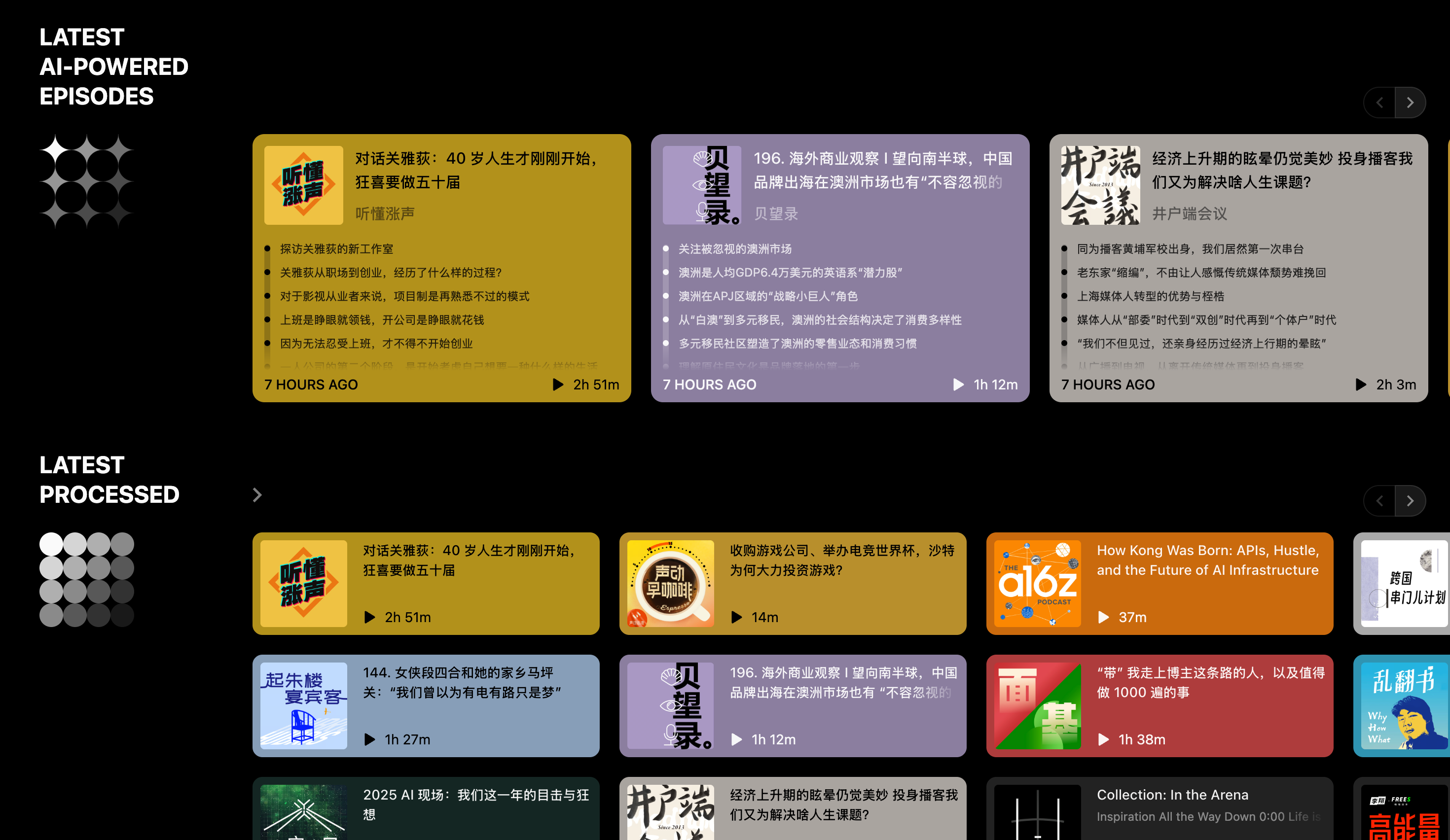
Scripod
一个类似 Podwise 的 AI 播客,目前还没有看到需要收费的地方,不知道后续的盈利模式会是什么样的。
UI 设计非常优秀,而且内容更新很快。
煮米饭
- 平均一人一盒
- 水位大致在米饭上一个指甲
- 米饭要更 Q 弹就少放点水
- 浸泡: 冬天浸泡 30 分钟,夏天 15 分钟
Typora 的技术栈
Front-End Framework and UI Design
Typora does not use a large front-end framework like Vue or React. Instead, it relies on standard web technologies (HTML5, CSS3, JavaScript) with lightweight libraries. For example, Typora includes jQuery for certain DOM manipulations and uses Exoskeleton (a minimalist Backbone.js fork) to structure its UI components . This choice keeps the application lean and focused, as opposed to embedding an entire MVC framework. Typora’s UI is styled with CSS (including custom themes via user-provided CSS), and even basic components like dialog boxes or menus are built with web markup (it bundles Bootstrap CSS for some baseline styling ). This minimalist approach gives Typora a native feel while still using web tech under the hood.
Cross-Platform Desktop Engine (Electron)
Typora is implemented as a desktop application using Electron . Electron provides a Chromium-based rendering engine and Node.js environment, allowing Typora’s web UI to run as a native app on Windows, macOS, and Linux. This explains Typora’s consistent look-and-feel across platforms and its ability to access system APIs (file system, menus, etc.) through Node. The Electron runtime means Typora essentially runs a dedicated Chrome browser instance for the app. Using Electron, the developers could leverage web development tools and libraries while packaging Typora for multiple OSes easily. (Typora’s acknowledgements explicitly include Electron’s license , confirming it as the underlying engine.)
Markdown Parsing and Rendering**
For converting Markdown to formatted output, Typora uses a fast, robust Markdown library. While the exact parser isn’t explicitly named by Typora’s developers, it likely employs a CommonMark/GFM-compliant library such as markdown-it (or possibly marked). In fact, Typora bundles the markdown-it-emoji plugin , which strongly suggests it uses markdown-it as the core parser (markdown-it is a popular JS Markdown engine that supports plugins for GFM extensions like emoji, footnotes, etc.). Typora supports GitHub Flavored Markdown (GFM) features (tables, task lists, strikethrough, tables of contents, diagrams, etc.), indicating that its parser was chosen for full GFM compliance . The parser is integrated into Typora’s “What You See Is What You Mean” editing engine – as you type, Typora parses the Markdown text and immediately renders it to formatted HTML in the same view . This live parsing happens behind the scenes to achieve Typora’s seamless preview. Typora likely has custom rendering logic layered on the parser: for example, it can preserve certain Markdown syntax invisibly (like the brackets around a link) until you edit that element. In summary, the Markdown conversion is handled by an efficient library (with extensions), enabling Typora’s core feature of instantaneous, accurate preview.
Syntax Highlighting in Code Blocks
For source code blocks (fenced code ``` sections) Typora uses CodeMirror – an in-browser code editor library – to render and highlight code within the document . Each code fence in Typora is essentially an embedded CodeMirror instance, which provides syntax coloring for around 100 programming languages out-of-the-box . The Typora theme CSS applies a special class (cm-s-inner) so that code blocks adopt a CodeMirror theme consistent with the editor’s look . By using CodeMirror, Typora ensures that code snippets are not just styled statically but are also editable with proper indentation and cursor behavior. This is a clever reuse of a mature component: rather than implementing a custom syntax highlighter, Typora delegates to CodeMirror’s proven highlighting engine (the app bundles CodeMirror’s scripts and styles ). For inline code (the code spans) and other markdown syntax, Typora simply applies styling via CSS, but for fenced blocks it leverages CodeMirror’s powerful highlighting. This choice provides a consistent editing experience — when you click into a code block in Typora, it feels like a mini code editor within the document.
Build and Packaging Tools
While Typora’s exact build process isn’t documented, it being an Electron app suggests use of common web bundling tools. Typora’s development likely involved module bundlers or task runners such as Webpack or Gulp to compile its source code, manage assets, and package them into the Electron app structure. The presence of many Node.js dependencies (as seen in its acknowledgements) indicates a typical Node-based build. For example, Typora includes libraries like fs-extra, lowdb, etc., which would have been installed via npm and bundled into the app . It also uses Electron’s packaging capabilities (and perhaps Electron-builder) to generate installers for each OS. In short, Typora’s build system revolves around the Node/Electron ecosystem – HTML/JS/CSS code is bundled (likely minified) into the Electron app ASAR package. The packaging tools ensure that Typora’s cross-platform distribution is seamless, handling native modules and OS-specific tweaks. (For instance, Typora includes WinSparkle on Windows for auto-updates , integrated during the build.) Although specifics aren’t public, it’s reasonable to assume a standard web app build pipeline adapted for Electron.
File System Access and Storage
As a desktop Markdown editor, Typora interacts directly with the user’s file system to open and save files. Thanks to Electron (Node.js), Typora can use Node’s fs module; indeed, it bundles fs-extra (a Node library extending fs) for convenient file operations . This allows Typora to read/write Markdown files, create directories (e.g. for images or attachments), and watch for external file changes. Typora also uses node-pathwatcher (from the Atom editor) or similar to monitor file changes on disk – so if a file is edited outside Typora, it can prompt to reload. For storing user preferences (settings, recent files, etc.), Typora embeds a lightweight database. It notably includes lowdb, a tiny JSON-based database . Lowdb lets Typora persist data (in a JSON file) without a heavy DBMS; likely things like window state, preference toggles, or the user’s custom snippets are stored this way. No large local database engine is used – since Markdown files themselves are just text, there’s no need for something like SQLite to manage notes. In summary, Typora uses direct file system access (via Node) for document files, and a JSON file for miscellaneous app state. This approach plays to Electron’s strengths and keeps user data accessible (and easily syncable via services like Dropbox if needed).
Architectural Design and Notable Features
One of Typora’s most laudable design choices is its WYSIWYG Markdown editing paradigm – or as the Typora team calls it, “What You See Is What You Mean.” In practical terms, Typora removes the split-screen preview; the editor is the preview . It achieves this by dynamically hiding Markdown syntax and rendering the formatted content in place. For example, when you type an image syntax , Typora immediately displays the actual image in the document, not the raw code. This is implemented by leveraging the contenteditable DOM: the document is an HTML representation of your Markdown, and Typora overlays special handling for interactions. Libraries like Rangy (for handling text ranges/selections in contenteditable) are included in Typora , indicating it manages cursor movement and text insertion carefully in the rendered view. When you edit formatted text (say, make a word bold), Typora momentarily shows the Markdown syntax (the ** for bold) or opens an input UI, so you can change it, then reverts to rendered form. This seamless switching is powered by continuously parsing the Markdown in the background and updating the DOM. Typora optimizes these updates using a DOM diff/patch library (Morphdom is bundled ), which allows it to update only the changed portion of the document without reloading the entire view – preserving your cursor position and preventing flicker.
Another architectural note is that Typora is largely a closed-source app (aside from the open-source libraries it uses). It does not support plug-ins or third-party extensions, which means its functionality is built-in but not extensible . This design trade-off keeps the editor simple and focused (no risk of unstable plugins), though it limits customization compared to editors like VSCode or Obsidian. Typora instead allows customization via themes and CSS, letting users adjust appearance but not core behavior. Overall, Typora’s architecture is a mix of web contenteditable tricks, carefully integrated libraries, and custom logic – all geared toward making Markdown editing feel intuitive. The result is an editor that feels as fluid as a rich-text word processor, yet maintains 100% compatibility with plain Markdown files.
Alternative Technologies for a Similar Markdown Editor
If one were to develop a Typora-like Markdown editor today, there are numerous open-source components and frameworks that could replicate or even improve upon Typora’s tech stack. Below are key areas of the stack and popular alternatives for each:
-
Desktop App Framework: Electron (as used by Typora) is a proven choice for cross-platform desktop apps using web tech. However, newer alternatives like Tauri (a lightweight Rust-based webview framework) or NW.js (Node-WebKit) can also be used. These frameworks allow you to build a single codebase that runs on Windows, macOS, and Linux with access to OS features. (Electron remains the most mature, but Tauri is gaining traction for smaller app sizes.)
-
Front-End Framework: Instead of a custom vanilla JS approach, one could utilize a modern front-end framework for the UI. Vue.js or React are popular choices to structure the application’s interface. For example, the open-source Typora alternative Mark Text is built with Electron + Vue.js (and uses Element-UI components) , demonstrating that a framework can simplify UI development. React could likewise be used (with libraries like Draft.js or Slate for rich text). Using a framework isn’t required, but it can speed up development of complex UI elements (menus, file explorers, modals) and state management.
-
WYSIWYG Editor Engine: A crucial component is the rich-text Markdown editing core. Rather than building from scratch, developers can leverage robust open-source editor frameworks:
- ProseMirror – A powerful toolkit for building rich text editors on the web. ProseMirror provides collaborative editing, schema for document structure, and fine control over rendering. Projects like Milkdown (an open-source Typora-like editor) use ProseMirror under the hood . ProseMirror’s architecture fits Markdown well, and it can be extended via plugins for lists, tables, etc.
-
TipTap – A higher-level framework built on ProseMirror that simplifies configuration. It provides a ready-made WYSIWYG editor with extension modules. The open-source Zenmark editor (a Typora-like WYSIWYG component) is based on TipTap , which showcases how TipTap can be used to achieve Typora’s functionality quickly. TipTap/ProseMirror handle the heavy lifting of contenteditable, selection, and document state, avoiding many browser quirks.
- Slate.js or Draft.js – These are rich-text editor libraries for React. Slate is highly customizable (treats editor content as JSON), and Draft.js (by Facebook) is battle-tested for block-style editing. They could be configured to interpret Markdown syntax and render it, though this might require more work to support full GFM features.
- Lexical – A newer rich text editor framework (by Facebook) that is lightweight and extensible; it could potentially be adapted for Markdown as well.
- Vditor – An in-browser Markdown editor component (open-source, written in TypeScript) that natively supports WYSIWYG, instant rendering (Typora-like), and split-view modes . Vditor can be integrated into web apps and already provides many Markdown features out of the box, which makes it a strong candidate for a Typora-like project.
-
Markdown Parsing Libraries: Just as Typora likely uses markdown-it, developers have several choices for the Markdown engine:
- markdown-it – A fast, CommonMark-compliant parser with plugins (for GFM features, emojis, math, etc.). It’s very suitable, as it can parse and produce HTML on the fly. Many projects use markdown-it by default due to its balance of speed and extensibility.
- Remark (Unified) – The Remark library (part of the unified.js ecosystem) parses Markdown to an AST and can output HTML or other formats. It’s known for correctness and has a rich plugin ecosystem. Milkdown’s architecture, for example, uses Remark as the Markdown parser/AST builder . This allows one to manipulate the document as an abstract syntax tree, enabling advanced transformations (and ensures parsing consistency).
- Marked – A simpler but popular Markdown parser in JavaScript. It’s fast and was one of the first to support GFM. Marked could be used if one prefers a straightforward solution, though it may not have as many extensions as markdown-it/remark.
- Showdown – Another JS Markdown converter (bi-directional) that could be considered, especially if one needs to convert HTML back to Markdown (though this is a less common requirement).
- These parsers are all open-source and can be plugged into your editor to handle translating Markdown input to HTML output in real time.
-
Syntax Highlighting for Code: If not embedding an actual code editor component, one can use dedicated syntax highlighters:
- Highlight.js – A very popular, pure JavaScript syntax highlighter that covers hundreds of languages and auto-detects language if not specified. It’s easy to integrate for highlighting blocks. In fact, many editors use Highlight.js; for instance, the TipTap-based Zenmark uses highlight.js for code fences . This would provide the same multi-language support Typora touts, without needing a full editor instance for each code block.
- Prism.js – A lightweight alternative, focusing on a smaller set of languages (but extensible). Prism is often used on the web for its modularity and theming. Milkdown uses Prism for code block highlighting .
- CodeMirror 6 – The modern version of CodeMirror (which Typora uses v5 of). CodeMirror 6 is modular and even supports a “markdown mode” that can hide syntax tokens similar to Typora’s approach. It could be used both as the primary editor (as Obsidian does, with a live preview mode) or just for code sections. Another option is Monaco Editor (the editor from VSCode) for code blocks, though Monaco is heavier than CodeMirror.
- Ace Editor – Alternatively, like StackEdit (a browser MD editor) uses Ace, one could embed Ace for editing code blocks. However, in a WYSIWYG scenario, using a highlighter like highlight.js is often sufficient since users typically don’t need full IDE features inside a note.
-
Packaging and Build Tools: Modern tooling can streamline development:
- Bundlers: Using Webpack, Vite, or Rollup to bundle the application’s JavaScript, styles, and assets is recommended. These can tree-shake unused code and optimize performance. For instance, a new project might use Vite for fast dev builds and Webpack for production. Typora’s era likely used Webpack – today Vite (with Rollup under the hood) could be an efficient alternative.
- Electron Forge / Builder: If sticking with Electron, tools like Electron Forge or Electron Builder help scaffold the project and create installers. They handle code signing, auto-updates, and cross-platform packaging.
- Tauri tooling: If using Tauri, its CLI and Rust build system would package the web UI into a tiny Rust binary with a WebView. This can drastically reduce app size compared to Electron. It’s a newer approach but promising for Markdown editors (which typically don’t need heavy Node integration beyond file access).
-
Storage & Data: For a Markdown editor, a lightweight approach is best:
- Use the native file system (through Node’s fs or the newer File System Access API in web) for reading/writing Markdown files. This gives users direct control over their files (a design many prefer – no proprietary database).
- For any local data (preferences, settings, last opened files, etc.), use a small embedded store. Typora uses lowdb (JSON file); alternatives include SQLite (accessible via libraries or an embedded node module) or simply the OS-specific app storage (like storing JSON in user’s AppData or Library folder). If building a cloud or collaborative editor, then a real database or cloud storage API would come into play, but for a Typora-like personal editor, flat files suffice.
- If one wanted, they could also integrate localStorage or IndexedDB in a web context, but for a desktop app, using the local filesystem directly (or via something like lowdb) is straightforward and transparent.
-
Extensibility and Plugins: One aspect where Typora is limited is extensibility. When building a similar editor, you might consider a plugin architecture so that users or third-party developers can extend functionality (for example, add new export formats, integrate with APIs, or add UI plugins). Open-source editors like Obsidian and Joplin have plugin systems, and even pure web editors like StackEdit or Cherry Markdown (Tencent) support extensions . Designing your editor core to allow plugins (perhaps via a hook system or an API) can make it more flexible and future-proof. This could be as simple as letting users add custom scripts or as complex as a full-blown extension loader. While not a library per se, this is a technical design choice worth noting as an “other architecture idea” to borrow.
In summary, plenty of open-source tools can help create a Typora-like experience. You could use a Vue or React front-end with a ProseMirror-based editor (via TipTap or Milkdown) to handle WYSIWYG Markdown editing, markdown-it or Remark to parse and serialize Markdown, and embed Highlight.js/Prism for code styling. Package it with Electron or a lighter alternative like Tauri, and you have a cross-platform Markdown editor. Indeed, projects like Mark Text (Electron + Vue + a custom Markdown engine) and Milkdown (ProseMirror + Remark) illustrate these approaches in action . By mixing and matching these components, developers can create a modern Markdown editor that rivals Typora, while leveraging the strengths of open-source software. The ecosystem in 2025 is rich – making it an exciting time to build (or enhance) a Markdown editor with all the UX finesse that Typora introduced to the world.
Sources: The analysis above is based on Typora’s official documentation and support pages, third-party reverse engineering reports, and comparisons with similar editors. Key references include Typora’s support knowledge base (for code block handling and included libraries) , the Typora acknowledgements listing third-party components (confirming use of CodeMirror, jQuery, etc.) , a SegmentFault Q&A about Typora’s early tech stack , and insights from open-source projects Milkdown and Mark Text that offer clues to building such an editor . These illustrate the technologies in Typora and the viable alternatives available for each part of the stack.